Accessibility at Klickmeister
Digital services should be usable by everyone, regardless of ability, situational circumstances or the technology at hand. Because good accessibility takes practice and nobody is an expert overnight, we bring the topic together in our own Community of Practice (CoP): we keep learning, share knowledge and get better together.
Why this matters to us
Many people depend on accessible digital services, and nearly everyone benefits from clear, robust design: in bright sunlight, with only one hand free on a smartphone or under time pressure. Accessibility improves products for everyone.
There is also the legal side: with the German Accessibility Act (Barrierefreiheitsstärkungsgesetz, BFSG), binding requirements have applied to many digital services since 2025. We do not see this as a box-ticking exercise, but as confirmation of a stance we hold anyway: without accessibility, quality is not complete.
Accessibility affects everyone
Impairments are not always permanent. The same ability can be affected permanently, temporarily or situationally. Designing well for one case helps everyone else at the same time.
| Ability | Permanent | Temporary | Situational |
|---|---|---|---|
| Vision |
 blind
blind
|
 eye infection
|
 sun on the screen
|
| Hearing |
 deaf
deaf
|
 hearing aid
|
 noise-cancelling headphones
|
| Motor |
 missing limbs
|
 broken arm
|
 baby in arms
|
| Speech |
 non-verbal
|
 sore throat
|
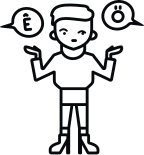 foreign language
|
| Cognition |
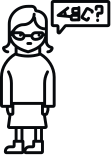 dyslexia
|
 concussion
|
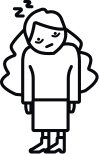 tiredness
|
Illustrations Daresay, license CC BY 4.0.
Accessible solutions make things easier for permanent, temporary and situational impairments alike. This applies to all five areas in the spectrum: vision, hearing, motor, speech and cognition. Captions, for example, are essential for deaf people and just as handy when watching a video without sound on the train.
What everyone benefits from
-
For users
More people can perceive, operate and understand content, without barriers, without detours.
-
For projects
Accessible solutions are usually the more robust ones too: clean markup, clear structure, better performance and findability.
-
For the team
Shared standards make quality predictable and take the pressure off. Accessibility becomes part of the normal process.
What we do in practice
- WCAG-oriented implementation across concept, design and development
- Peer reviews and knowledge sharing in our A11y-CoP
- Testing with keyboard, screen reader and automated tools
- Accessibility as part of the entire design and development cycle
- Workshops, awareness-raising and knowledge-building across the whole team
The people behind our Community of Practice
Our A11y community is carried by colleagues from strategy, design, development and quality assurance. They bring accessibility into their projects and into the CoP.



What we work on
In the A11y-CoP we work through concrete topics together, share experiences, clarify open questions and record what proves useful. A selection of what we have already explored in depth.
-
Semantic HTML & ARIA
When native elements are enough and where ARIA genuinely helps rather than harms.
-
Keyboard operation & focus
Visible focus states, a sensible order and operation entirely without a mouse.
-
Screen reader testing
How pages actually sound with VoiceOver, NVDA and the like.
-
Color contrast
Checking contrast values against WCAG and factoring them into color and component decisions.
-
Accessible forms
Labels, error messages and validation that are understandable and operable for everyone.
-
Reduced motion
Animations that respect prefers-reduced-motion and switch off when needed.
-
Manual testing & tooling
Manual tests with screen reader, keyboard and simulation tools for vision, contrast and motor impairments.
-
Accessible typography
What makes type legible for everyone: recognizability, distinct characters and clarity even when blurred.
-
Accessible PDFs
How to test, structure and make accessible the PDFs that also fall under the BFSG and EN 301 549.
-
The WebAIM Million
The annual WebAIM report on the top one million home pages, whose trends we follow and put into context.
-
AI & accessibility
Where AI supports testing and creation, for example with alt texts, and where manual checking remains indispensable.
-
And much more
Current developments and discussions from the accessibility community, from new techniques to conferences.